Mini Golf 3D Multiplayer Rival
- 4.4
- Rating
- 10.00M
- Installs
- Free
- Price

 Analysis by App-foxy
I spent time with Mini Golf 3D Multiplayer Rival as a quick sports game rather than treating it like a full golf simulator. Its appeal is immediate: pick up the phone, line up a shot, and try to outplay another golfer in a compact 1v1 match. That simple format makes it easy to understand, but the short rounds also expose every weakness in your timing and decision-making.
Developed by Mobile Sports Time, this free game sits in the sports category and is suitable for everyone. It has been available since March 11, 2016, and its current version is 36.36. The minimum operating system is Android 7.0, so it is aimed at a broad range of devices rather than only recent phones. In my experience, that matters because a mini-golf game works best when it feels ready for a spare minute, not when it demands a powerful handset or a long setup.
The game has built a sizeable audience, with over ten million installs, an average rating of 4.4 from around 196 thousand ratings, and roughly 8.3 thousand written reviews. Those figures suggest that the basic competitive idea has found a steady audience. They do not make it perfect, though. I found the strongest reason to keep playing in the direct rivalry of each hole, while the weakest point is that players looking for deep simulation or a large solo campaign may find the experience narrower than expected.
You May Also Like

 Google Keep - Notes and lists
Google Keep’s Quiet Growth Shows the Appeal of Simpler Notes
As mobile work gets busier, Google Keep keeps winning a simple contest: capture a thought quickly, find it later, and get on with the day.

 Blood Strike: 2.5 Anniversary
Blood Strike’s Loadouts Turn Every Drop Into a Tactical Gamble
A close look at Blood Strike’s custom loadouts: how fast access to signature weapons reshapes its battle royale rhythm, rewards preparation, and narrows the gap between fights.

 Pandora - Music & Podcasts
Pandora’s Music Is Easy to Start, but Harder to Recover
Pandora’s strength is its low-effort path from a seed to a station. Its weak spot is how much confidence it asks you to place in connection, setup, and quiet recovery.

 8 Ball Pool
 Is Built on Rivalries, Rematches, and Routine
A close look at the rivalries, rematches, shared routines, and unanswered safety questions that turn a quick pool match into a persistent mobile community.

 Samsung Music
’s Quiet Strength Is Playing What You Already Own
Its reach comes less from spectacle than from dependable access to a personal library. That simplicity is both the app’s strongest retention engine and its ceiling.

 AccuWeather: Weather Radar
AccuWeather Review: A Quick, Clear Forecast for Everyday Decisions
For everyday plans, the best forecast is the one you can understand quickly. AccuWeather makes rain timing, radar, and local conditions easy to act on, with a few trade-offs.
More From Our News Desk



How the game feels in short sessions
I find the game most satisfying when I treat each match as a small decision-making challenge, not a test of how quickly I can tap. A short round gives me a clean chance to focus, while a busy moment can make careful aim harder than it should be. That distinction also shapes how I judge the game’s feedback: the next section looks at what each shot teaches and how the match keeps its rhythm.
Quick starts and the importance of perceived speed
The first thing I noticed is how naturally the game fits short sessions. Mini golf already has a compact rhythm, and the 1v1 structure gives each turn a clear purpose. You are not wandering around a large course or waiting for a long sports match to develop. You study the route, choose a shot, and immediately see whether your plan worked.
That design creates a useful sense of speed even when the action itself is not frantic. A good turn feels brisk because the decision is obvious: use the angle, control the strength, and avoid wasting a shot. A poor turn can feel slower because you are watching a mistake unfold. This is a game where perceived responsiveness is closely tied to control confidence. When the input feels predictable, the whole match feels fast; when I hesitate over a shot, the same course feels more demanding.
I would recommend playing with a few uninterrupted minutes available rather than opening it while doing something that needs constant attention. The matches are convenient, but competitive play still benefits from concentration. A careless tap can hand momentum to the other player, and mini golf leaves little room to hide a bad decision behind team play or a long scorecard.
What makes the rivalry work
The 1v1 format is the main reason this is more engaging than simply practicing shots alone. Every successful attempt has context. A safe shot may be enough if the other player has already made a mistake, while a risky line can be worthwhile when you need to recover. I enjoyed that small layer of judgment because it stops every turn from being just a test of aiming.
One practical tip is to stop chasing the most spectacular route on every hole. When I treated each shot as a chance to show off, I created unnecessary errors. The better approach is to first identify the reliable landing area, then decide whether the score situation justifies extra risk. That habit is especially useful for new players, because it turns the game from random swiping into a repeatable process.
Another useful adjustment is to separate aiming practice from competitive ambition. If a shot goes wrong, I try to remember whether the problem was angle, force, or the chosen route. That sounds basic, but it prevents the common mistake of changing everything at once. In a short match, learning to diagnose one error is more valuable than simply replaying the same aggressive attempt.
Where it fits beside other sports games
Compared with a traditional golf game, this is much easier to approach. You do not need to understand clubs, wind, course management, or a full eighteen-hole structure before enjoying a round. Compared with casual arcade games, however, the competitive format gives mistakes more weight. It is still approachable, but it rewards patience more than a purely score-chasing toy.
That makes it a good choice for someone who wants a small head-to-head sports game without committing to a lengthy simulation. I would choose a more detailed golf alternative if I wanted realistic equipment choices, extensive career progression, or a slower strategic experience. I would choose a purely solo mini-golf game if I wanted to relax without feeling that another player’s result was attached to my performance.
Performance, stability, and everyday use
For everyday use, I would judge performance on the phone I actually plan to play with, especially if I expect to open the game during brief breaks. Touch accuracy and interruptions matter more here than long stretches of uninterrupted play, so a quick personal test is more useful than assumptions based on compatibility alone. With that practical baseline in mind, the next section considers device limits and how to make sessions feel smoother.
What to expect during heavier use
The most demanding moments are not likely to come from the basic act of lining up a putt. The game’s core idea is compact, and its appeal depends on keeping the match readable. The heavier practical load comes when a player moves from occasional rounds into repeated matches, especially while using an older device or leaving other applications active in the background.
For that reason, I would approach performance in two stages. First, play a short session and pay attention to whether aiming remains comfortable. Then try several matches in a row, because a phone that feels fine for one round may become less comfortable during longer use. This is a better test than judging the game from a single launch, particularly if you plan to use it during commutes, breaks, or extended competitive sessions.
A useful everyday scenario is a short wait at a station or a few minutes before an appointment. One match can fill that gap without requiring the commitment of a large sports title. If I had a longer evening free, I would be more selective: the game can provide repeated rivalry, but its compact design is best enjoyed in portions rather than treated as an all-night simulation.
Resource demands and device limits
The Android 7.0 minimum makes the game accessible to many older phones, which is a practical advantage. Still, compatibility does not guarantee identical comfort on every device. Screen size, touch response, available memory, and the condition of the phone can all affect how easy it is to make precise shots.
On a smaller or older handset, the main concern is not necessarily visual quality. It is control space. Mini golf depends on seeing the route and making a deliberate input, so a cramped display or inconsistent touch response can make a fair shot feel awkward. Before blaming your technique, I would check whether the screen is clean, whether the phone is handling other background tasks, and whether the device is already warm from previous use.
The game is free to install, but it includes in-app purchases ranging from $0.99 to $99.99 per item. That range is important for anyone who dislikes spending pressure. I recommend deciding in advance whether you intend to play without purchases and treating optional spending as a separate choice rather than allowing the match atmosphere to make the decision for you. A free entry point is convenient, but the presence of purchases means the overall experience should be judged with that context in mind.
Stability and recovering from interruptions
Reliability matters more in a competitive game than in a disposable offline pastime. If a round is interrupted by a phone call, a notification, a low-memory event, or an accidental app switch, the player wants to return without confusion. I would test this deliberately before investing much time: begin a match, leave the game briefly, and then check how comfortable it is to resume.
I also suggest avoiding a long session immediately after opening several demanding apps. Closing what you do not need is a simple way to give an older phone more breathing room. This is not a special trick for golf; it is a sensible routine for any touch game where a mistimed pause can affect the result.
When a session does not go smoothly, restarting the game is the first practical recovery step. If the problem appears repeatedly, I would check that the device meets Android 7.0, make sure the installed version is current, and free some storage or memory before trying again. I would not recommend relying on the game for a crucial time-sensitive match until it has behaved consistently on your particular phone.
Who will enjoy it most
This game suits players who like short competitive rounds, simple sports controls, and the satisfaction of improving through repetition. It is also a reasonable choice for friends or family members who want to compare results without learning a complicated rule set. The everyone age rating makes it easier to consider for a broad household audience, although younger players may still need guidance around optional purchases.
It is less suitable for someone who wants a calm, uninterrupted solo activity. The rivalry is the point, so a player who dislikes pressure, loses interest after mastering a small control loop, or expects a rich golf career may run out of reasons to continue. Likewise, if your phone has unreliable touch input, this is not the ideal game for testing patience, because precision is central to the experience.
Small habits that improve the experience
I found three habits particularly useful. First, use the early part of a match to learn the course instead of spending every turn on maximum distance. Second, when behind, take one calculated risk rather than turning every shot into a desperate attempt. Third, play with notifications reduced when possible, because a brief distraction is more damaging in a 1v1 round than it would be in a purely casual game.
There is also a social trade-off worth considering. A direct rival can make an ordinary break feel more engaging, but it can also make a bad run feel repetitive. If I lose several times, I prefer to pause and return later rather than immediately chasing the result. That approach keeps the game from becoming a reflexive cycle of frustration and gives me a better chance of noticing what actually needs improvement.
My performance verdict
Mini Golf 3D Multiplayer Rival works best as a lightweight competitive sports game built around quick decisions. Its age, broad Android compatibility, free entry, and large install base make it easy to try, while the 1v1 structure gives each shot more meaning than a basic solo putting exercise. I appreciate that it can fit into a short break without requiring the commitment of a full golf title.
My recommendation comes with clear limits. I would choose it for quick rivalry, casual practice, and brief everyday sessions. I would skip it in favor of a deeper golf simulation when equipment, realism, and long-term progression matter more than immediate matches. I would also be cautious about extended play on an older phone until I had checked touch accuracy, heat, and how well the game recovers after interruptions.
Overall, Mobile Sports Time has made a focused game rather than an all-purpose golf package. That focus is its strength: the rules are approachable, the matches are easy to understand, and improvement comes from learning angles and controlling risk. The trade-off is equally clear: players seeking a broad solo experience may want more variety. For me, it earns its place as a convenient mini-golf rivalry game, provided I treat it as a quick competitive break and keep optional purchases and device performance in mind.
FAQs for Mini Golf 3D Multiplayer Rival
01What is Mini Golf 3D Multiplayer Rival?
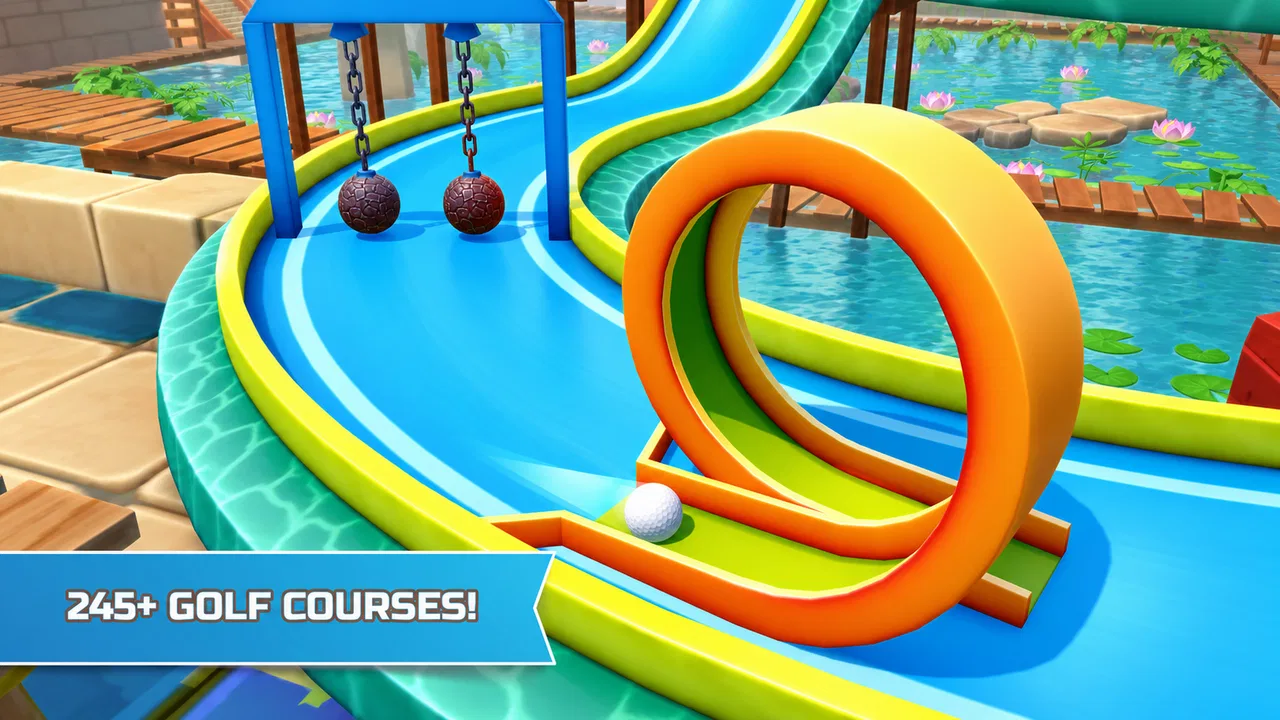
Mini Golf 3D Multiplayer Rival is a mobile game that offers an engaging mini-golf experience with a 3D visual twist. The game provides both single-player and multiplayer modes, allowing users to compete against friends or players worldwide. It includes various courses, each with unique challenges and obstacles to navigate.
02Is Mini Golf 3D Multiplayer Rival free to play?
Yes, Mini Golf 3D Multiplayer Rival is free to download and play. However, it does offer in-app purchases. These purchases can enhance your gaming experience by unlocking special courses, customizing your golf ball, or removing ads. Players can enjoy the game without spending money, but some features are behind a paywall.
03What are the system requirements for Mini Golf 3D Multiplayer Rival?
For Android users, the game requires Android OS 5.0 or higher, while iOS users need iOS 10.0 or later. The game is optimized for both smartphones and tablets, ensuring a smooth experience across devices. Ensure you have a stable internet connection for multiplayer features and check if your device has enough storage space before downloading.
04How do the multiplayer features work in Mini Golf 3D Multiplayer Rival?
The multiplayer mode allows you to compete against friends or random players globally. You can invite friends through social media or play against opponents matched by the game. Multiplayer matches are turn-based, and each player takes turns completing the course. The player with the fewest strokes wins the match.
05Are there any customization options available in Mini Golf 3D Multiplayer Rival?
Yes, Mini Golf 3D Multiplayer Rival offers various customization options. Players can personalize their golf balls with different patterns and colors. Some customizations may require in-game currency or real money. These options allow players to add a personal touch to their gameplay and stand out in multiplayer matches.
Pros
- Engaging 3D graphics enhance gameplay.
- Multiplayer mode for competitive fun.
- Intuitive controls make it easy to play.
- Variety of courses keeps things fresh.
- Customizable avatars add personal touch.
Cons
- In-app purchases can be pricey.
- Occasional lag in multiplayer mode.
- Ads can interrupt gameplay.
- Limited free course options.
- Requires stable internet connection.

Mini Golf 3D Multiplayer Rival
Gallery